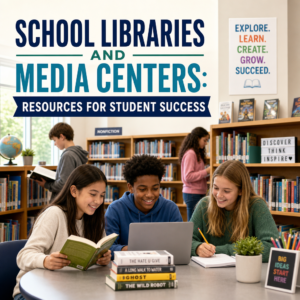
School Libraries and Media Centers: Resources for Student Success
School libraries and media centers are dynamic learning hubs where students can find books, digital tools, and expert support all in one place. From research databases to quiet study spaces, these resources help make schoolwork easier and more effective.
By: Peter on July 27, 2026
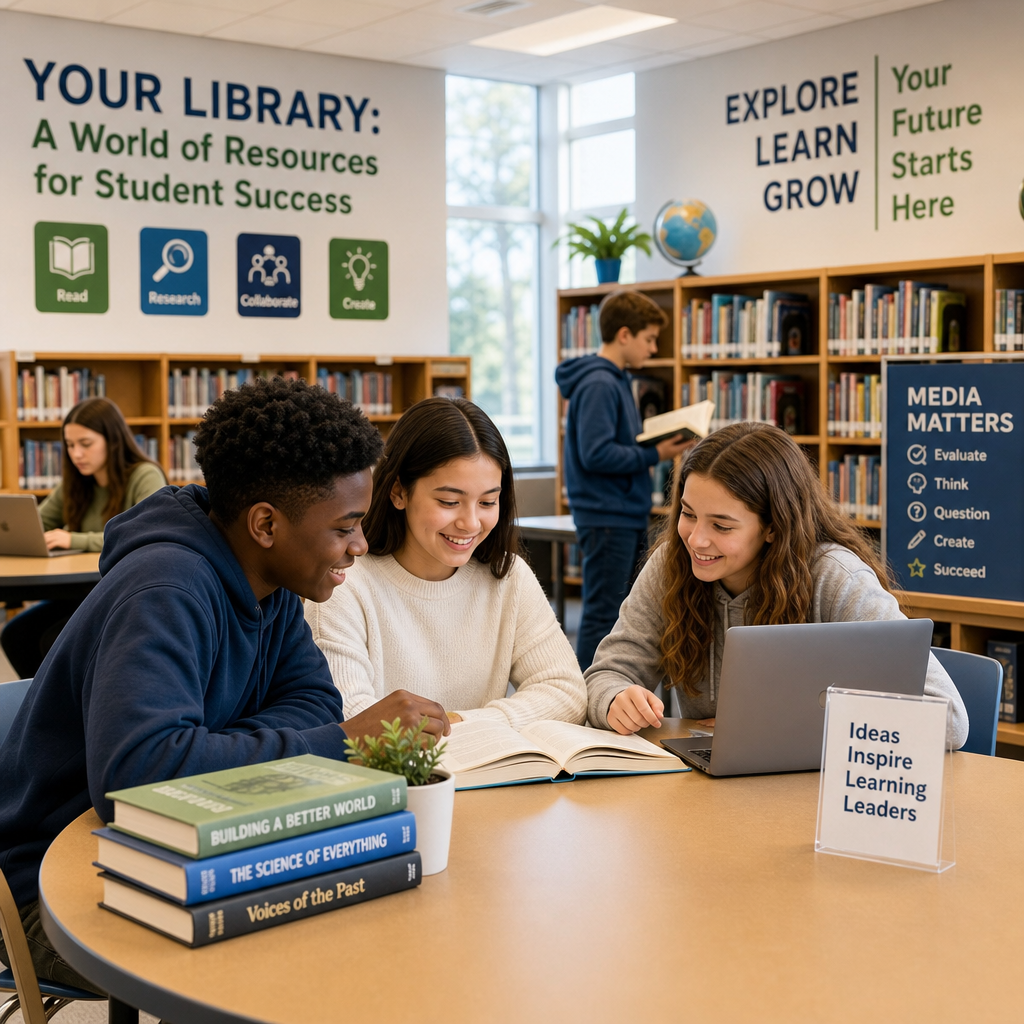
School libraries and media centers are much more than quiet places to read. They are dynamic learning hubs where students can explore books, access digital tools, develop research skills, and get support for school projects. In many schools, the library or media center is one of the most important spaces for academic growth because it brings together information, technology, and guidance in one place.
Whether a student needs a novel for an English class, a reliable source for a science project, or a computer to finish an assignment, the school library often has what they need. Understanding the resources available in these spaces can help students use them more effectively and get more out of their education.
What Is a School Library or Media Center?
A school library traditionally focused on books, magazines, and quiet reading. Today, many schools use the term media center to reflect a wider range of resources, including computers, online databases, audio-visual materials, and digital learning tools.
These spaces are designed to support:
Reading and literacy development
Research and academic work
Digital learning and media literacy
Independent study
Collaboration and creativity
A media center may still include shelves of printed books, but it also serves as a technology-rich environment where students can work on assignments, explore multimedia resources, and learn how to evaluate information.
Books and Print Materials
One of the most familiar resources in any school library is the collection of printed books. These materials remain essential for learning and can support students at every grade level.
Fiction and Literature
Students often borrow novels, short story collections, poetry books, and plays for class reading and personal enjoyment. These books help build:
Reading fluency
Vocabulary
Critical thinking
Appreciation for storytelling and different cultures
For example, a middle school student studying mythology might check out retellings of Greek or Norse legends to better understand the unit. A high school student might borrow classic literature to prepare for class discussions or essays.
Nonfiction and Reference Books
School libraries also offer nonfiction books on topics such as history, science, geography, health, and careers. These books are especially useful for research and homework.
Reference books may include:
Encyclopedias
Atlases
Dictionaries
Thesauruses
Almanacs
Even though many students now search online for information, print reference materials can still provide a solid starting point, especially for quick facts or broad overviews.
Reading-Level and Interest-Based Collections
School libraries often organize books to meet different reading levels and interests. This can help students find books that match their ability and motivation.
For instance:
Younger students may use leveled readers to build confidence.
Struggling readers may benefit from books with shorter chapters and simpler language.
Advanced readers may explore more challenging titles and topics.
A well-stocked library makes it easier for every student to find something engaging and appropriate.
Digital Resources and Online Databases
Modern school media centers often provide access to a wide range of digital resources. These tools are especially valuable for students working on research projects, reports, and presentations.
Online Databases
Many schools subscribe to databases that contain magazine articles, academic journals, newspapers, and encyclopedia entries. These sources are usually more reliable than random websites because they are curated and often reviewed for quality.
Common uses include:
Finding articles for history papers
Looking up scientific studies
Gathering background information on current events
Accessing age-appropriate research materials
For example, if a student is writing about climate change, a database can provide articles from trusted publications, charts, and expert explanations that are easier to cite than social media posts or unverified blogs.
eBooks and Audiobooks
School libraries may also offer digital books that students can borrow through library apps or online platforms. eBooks and audiobooks are helpful for students who:
Prefer reading on a tablet or computer
Need access outside school hours
Benefit from listening to text while reading
Want larger text or adjustable features
Audiobooks can be especially useful for students with reading challenges or for those who learn better through listening.
Educational Websites and Subscription Platforms
Some media centers give students access to educational websites, interactive learning tools, and subscription-based resources. These may include:
Practice quizzes
Homework help tools
Video lessons
Research guides
STEM learning platforms
These resources can reinforce classroom learning and allow students to explore topics independently.
Computers, Internet Access, and Technology
Not every student has access to a computer, printer, or reliable internet at home. School libraries and media centers help bridge that gap by offering technology that supports learning.
Computers and Laptops
Students may use library computers or checkout laptops to:
Complete assignments
Type essays
Create slideshows
Research topics
Access learning platforms
This access is especially important for students who do not have devices at home or who need a quiet place to focus.
Printing and Scanning
Many media centers offer printing, copying, and scanning services. These tools are useful when students need to:
Print a final project
Scan handwritten notes
Submit digital copies of assignments
Save documents for later use
A student preparing a class presentation, for example, might print handouts or scan images to include in a report.
Internet Access
Reliable internet access is one of the most important resources in a school media center. Students can use it to access:
Online research materials
Learning management systems
Email or school communication tools
Virtual classrooms
Educational videos and tutorials
For students without internet at home, the library can be a vital place to stay connected to schoolwork.
Assistive Technology
Many media centers also provide assistive technology for students with different learning needs. This may include:
Text-to-speech software
Speech-to-text tools
Screen readers
Enlarged text settings
Noise-reducing headphones
These tools help make learning more accessible and inclusive.
Research Help and Information Literacy
A school media center is not just a place to find information; it is also a place to learn how to use information wisely. Librarians and media specialists often teach students how to research, evaluate sources, and avoid misinformation.
Learning How to Search Effectively
Students may not always know how to turn a broad topic into a useful research question. Librarians can help them:
Narrow a topic
Choose keywords
Use search filters
Find appropriate sources
For example, instead of searching “space” in a database, a student might search “Mars exploration missions” or “effects of microgravity on the human body.”
Evaluating Sources
Not all information is reliable. Media centers help students learn how to judge whether a source is credible by checking:
Author qualifications
Publication date
Supporting evidence
Bias or point of view
Accuracy and consistency with other sources
These skills are essential in a world full of online information, where students must distinguish facts from opinions or misinformation.
Citation and Academic Integrity
School libraries often teach students how to cite sources properly. This includes:
Avoiding plagiarism
Using quotation marks when needed
Creating bibliographies or works cited pages
Following citation styles such as MLA, APA, or Chicago
A student writing a research paper may receive a citation guide, sample bibliography, or one-on-one help from a librarian. This support can reduce confusion and build confidence.
Media Resources and Creative Tools
Many school media centers now include tools for creating multimedia projects. These resources help students express what they know in more than one format.
Audio and Video Equipment
Students may use cameras, microphones, tripods, and recording software to create:
Podcasts
Video presentations
Interviews
Digital storytelling projects
Announcements or school media content
For example, a student group studying local history might create a short documentary using archived photos, voice narration, and video clips.
Graphic Design and Presentation Software
Media centers may provide access to design tools that help students create:
Posters
Infographics
Slide presentations
Digital newsletters
Book trailers
These tools support creativity while helping students communicate ideas clearly and visually.
Editing Software
Some media centers offer software for editing audio, video, and images. This can be valuable for class projects, school broadcasts, or extracurricular clubs. Students learn not only to consume media but also to produce it thoughtfully.
Quiet Study Spaces and Collaborative Areas
A good school library supports different kinds of learning. Some students need silence, while others need a place to work with classmates. Media centers often balance both needs.
Quiet Study Zones
These areas are designed for reading, independent work, and concentration. Students can use them to:
Study for exams
Read independently
Finish homework
Take notes
Review class materials
Quiet spaces are especially helpful during busy school days when students need a break from noise and distractions.
Group Work Areas
Many libraries also have tables, booths, or flexible seating for group projects and discussion. These spaces allow students to:
Brainstorm together
Work on shared presentations
Practice speeches
Review material as a team
A science group, for example, might meet in the media center to divide tasks, research sources, and build a slideshow for class.
Flexible Learning Environments
Some schools design libraries to support different learning styles through movable furniture, maker spaces, and open layouts. This flexibility helps students choose the environment that works best for their task.
Programs, Events, and Enrichment Opportunities
School libraries often host programs that encourage reading, creativity, and learning beyond the classroom.
Book Clubs and Reading Challenges
Book clubs give students a chance to discuss literature, discover new genres, and build a reading habit. Reading challenges and incentive programs can make reading more engaging, especially for younger students.
Author Visits and Guest Speakers
Some libraries invite authors, journalists, scientists, or community members to speak with students. These events can inspire curiosity and connect classroom learning with real-world careers.
Workshops and Skill-Building Sessions
Media specialists may run workshops on topics like:
Using databases
Creating presentations
Digital citizenship
Research strategies
Media production
These sessions help students become more confident and independent learners.
Summer and After-School Access
In some schools, the library remains open after school or during special programs. This gives students a safe space to read, study, and use resources even when classes are over.
Support from Librarians and Media Specialists
One of the most valuable resources in a school library is the staff. Librarians and media specialists do far more than check out books.
They may help students:
Find the right materials
Complete research
Use technology
Troubleshoot printing or login problems
Understand academic expectations
Discover books that match their interests
A librarian might guide a first grader to a picture book about animals, or help a high school student locate scholarly articles for a paper. Their support can make the difference between feeling stuck and feeling successful.
Why These Resources Matter
School libraries and media centers support academic success in many ways. They help students become:
Better readers
Stronger researchers
More confident technology users
Creative thinkers
Responsible information consumers
These spaces also promote equity by giving all students access to materials and tools they might not have at home. Whether a student needs a quiet corner, a reliable source, or a place to collaborate, the library can meet that need.
In a world where information changes quickly, the school media center remains a trusted space for learning, discovery, and growth.
Frequently Asked Questions
1. What is the difference between a school library and a media center?
The terms are often used interchangeably. A media center generally emphasizes a broader collection that may include printed books, audiovisual materials, computers, databases, digital tools, and technology services.
2. What resources can students access in a school media center?
Available resources may include fiction and nonfiction books, reference materials, eBooks, audiobooks, research databases, computers, internet access, printers, assistive technology, recording equipment, and collaborative study spaces.
3. How can librarians help students with research?
Librarians and media specialists can help students narrow research topics, select effective keywords, find trustworthy sources, evaluate information, organize evidence, and cite materials correctly.
4. How can students determine whether an online source is reliable?
Students should examine the author’s qualifications, publisher, publication date, supporting evidence, citations, purpose, and possible bias. Important claims should also be compared with information from other credible sources.
5. Can students access library resources outside school hours?
Some schools provide remote access to eBooks, audiobooks, databases, research guides, and educational platforms. Access rules, login requirements, borrowing periods, and after-school hours vary by school and district.
School libraries and media centers offer students a wide range of resources, from books and databases to computers, creative tools, and expert support. They are not just places to borrow materials; they are active learning environments that help students read, research, create, and collaborate.
By using these resources well, students can strengthen their academic skills and build habits that will help them far beyond the classroom.
Peter B holds a degree in Journalism and has 5 years
of experience covering U.S. economic policy, labor markets, and
financial news. He writes data-driven news content on topics
like inflation, interest rates, and employment trends.